
Salla App
Countdown Timer
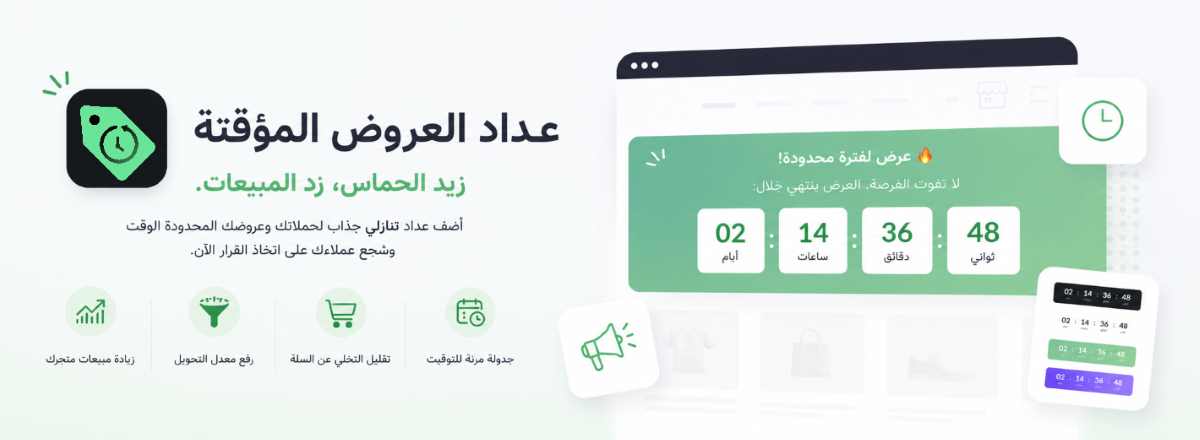
Add a countdown timer to any page in your store — the ticking clock creates urgency that turns hesitant visitors into buyers before time runs out.
- No code required
- Integrated with Salla's most popular themes: Raed, Angel & Selia
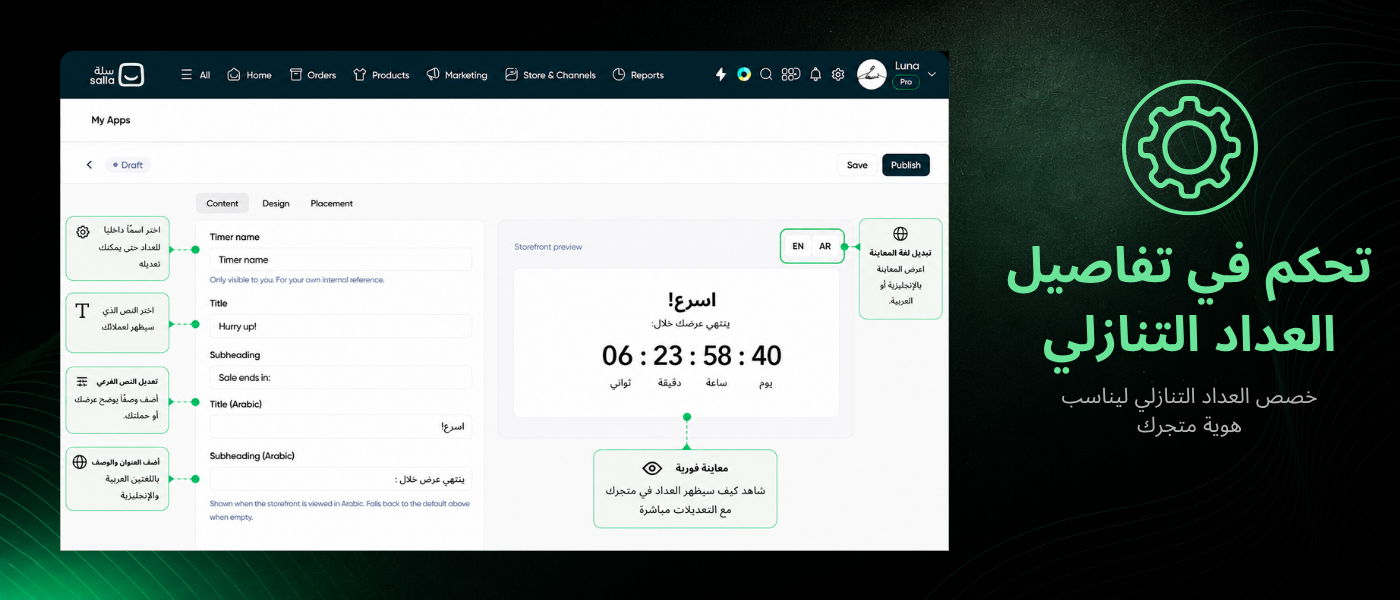
- Full control over the design
See it on your storefront
Why a countdown timer?
Benefits you'll see in your store's numbers

Increase your store's sales
A countdown nudges visitors to buy now instead of waiting.
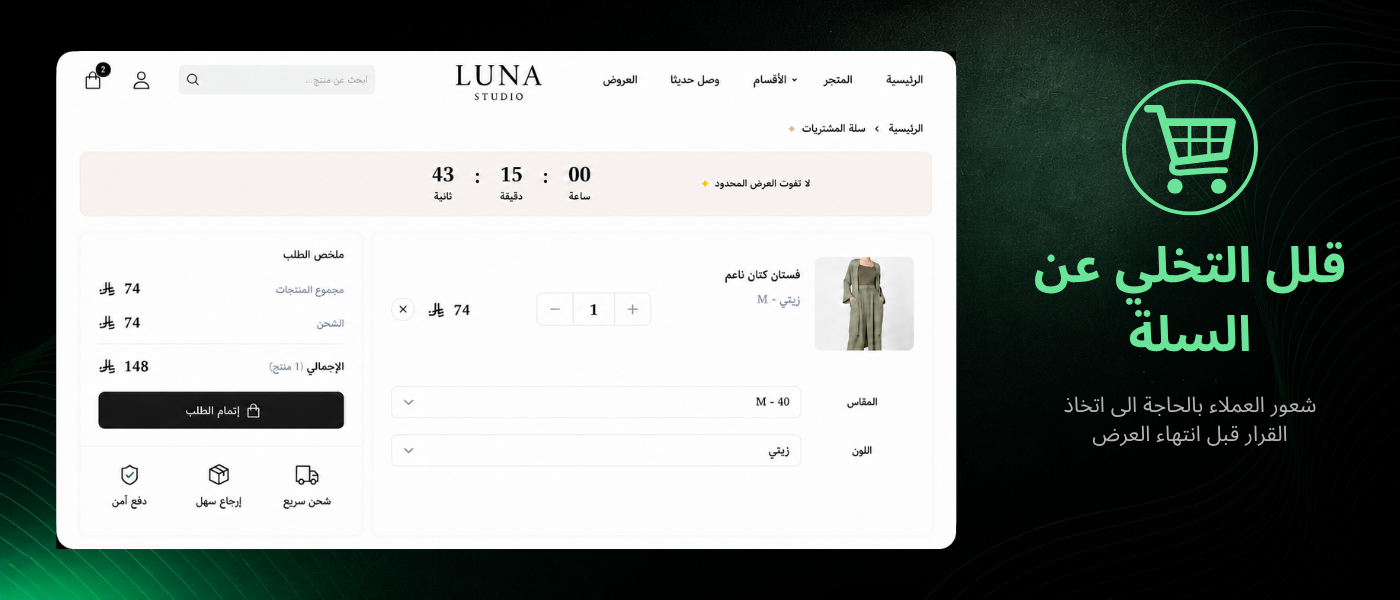
Reduce cart abandonment
A visible sense of urgency keeps visitors from leaving their cart behind.

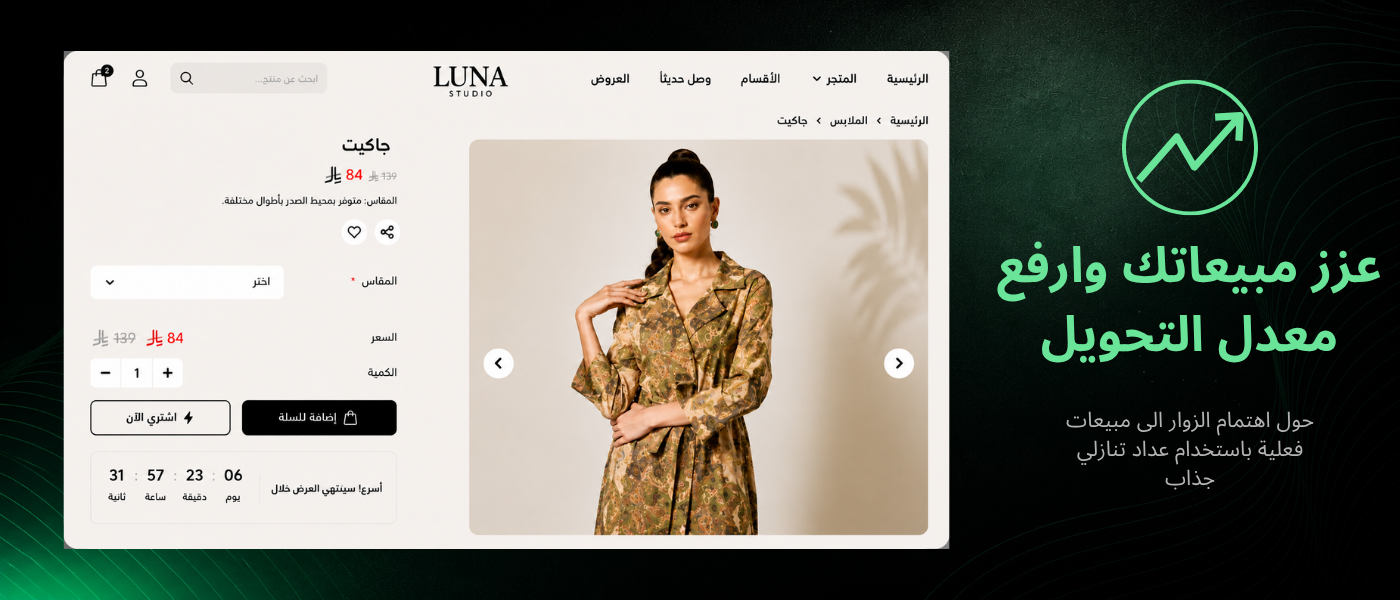
Raise your conversion rate
A clear time limit turns browsers into actual buyers.
Where to place it
Put it exactly where your store needs it
Add the timer anywhere in your store in minutes, no code required.
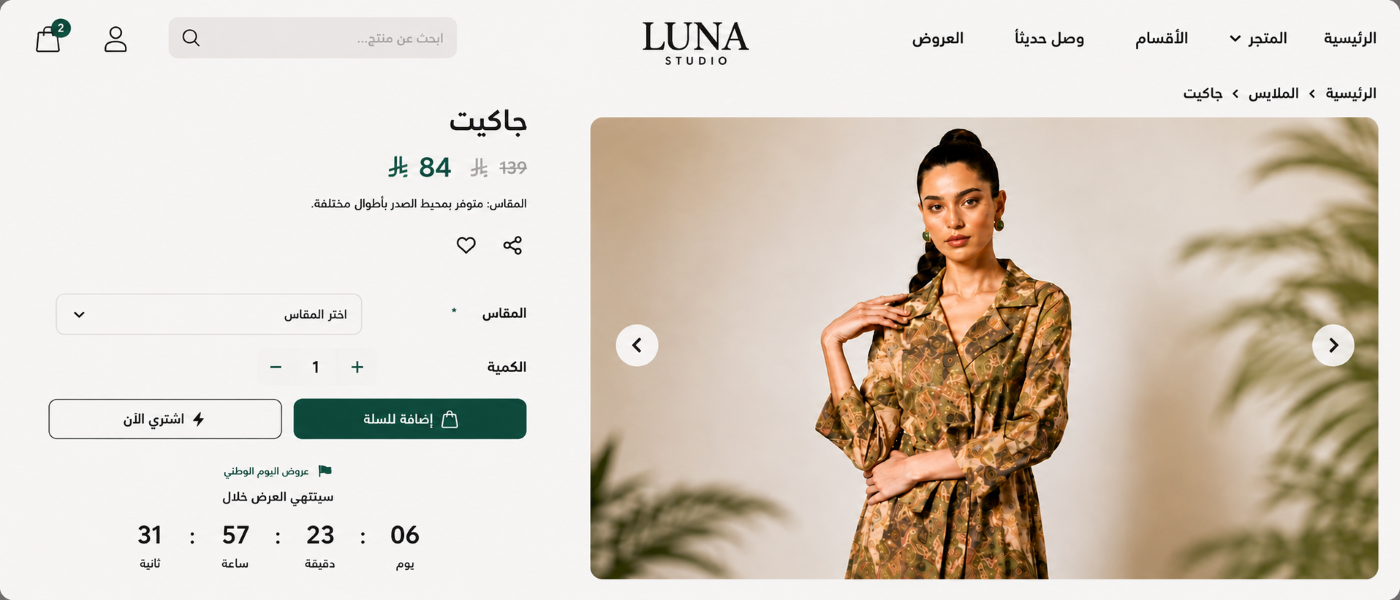
Product Page Timer
Appears above or below the product details to drive immediate action on that item.
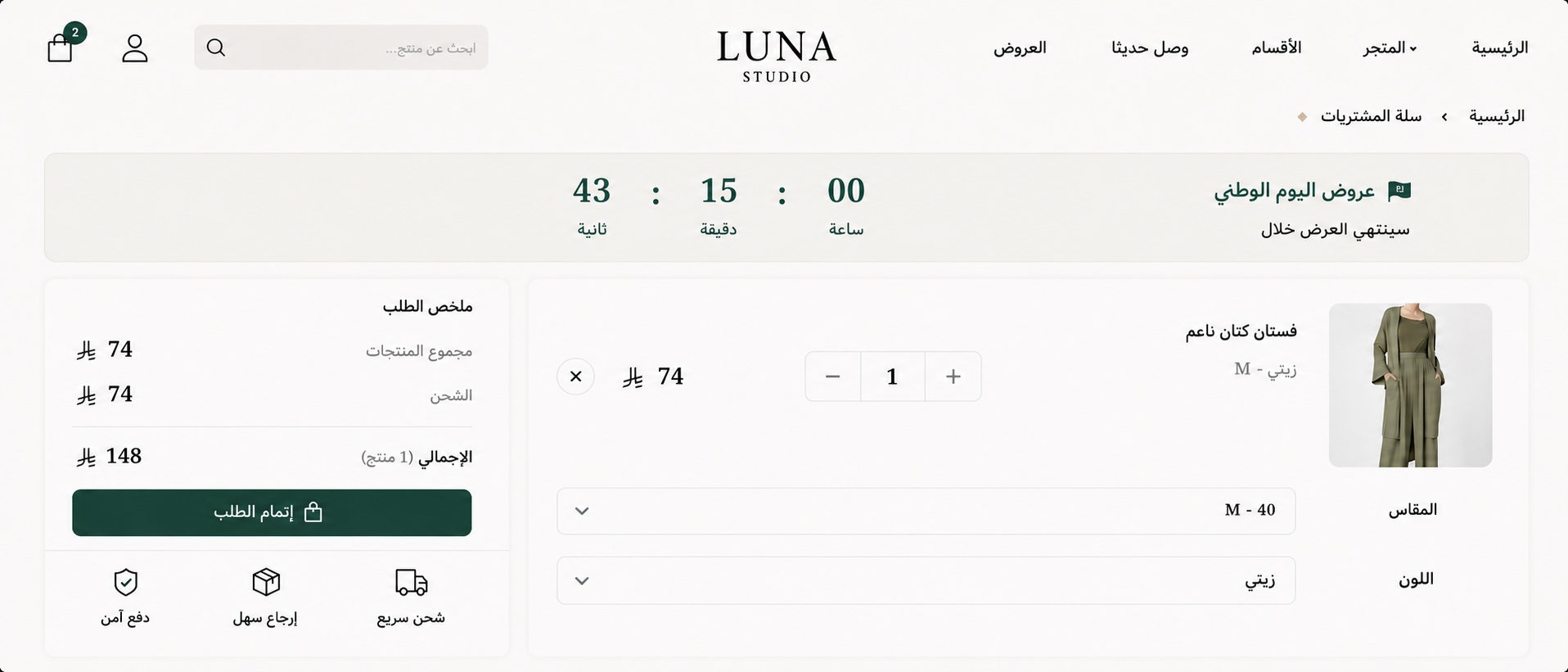
Cart Page Timer
Reminds the visitor their cart's offer is time-limited before checkout.
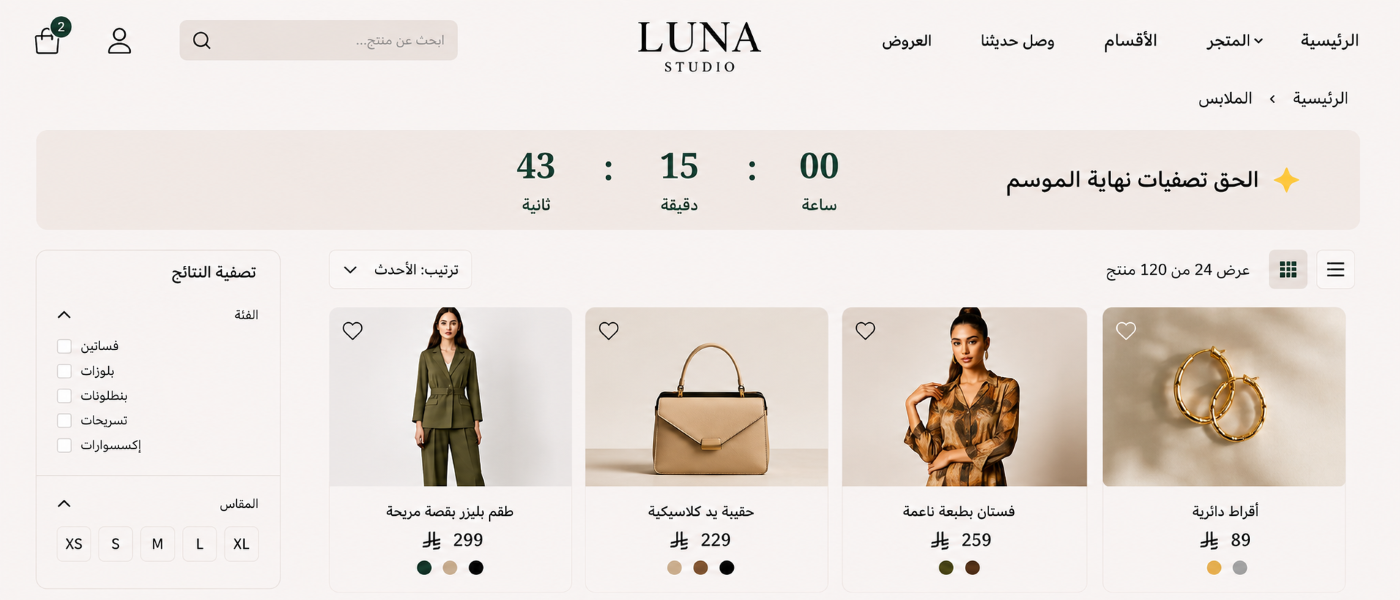
Top Announcement (Sticky) Bar
A fixed bar at the top of your store, visible on every page.
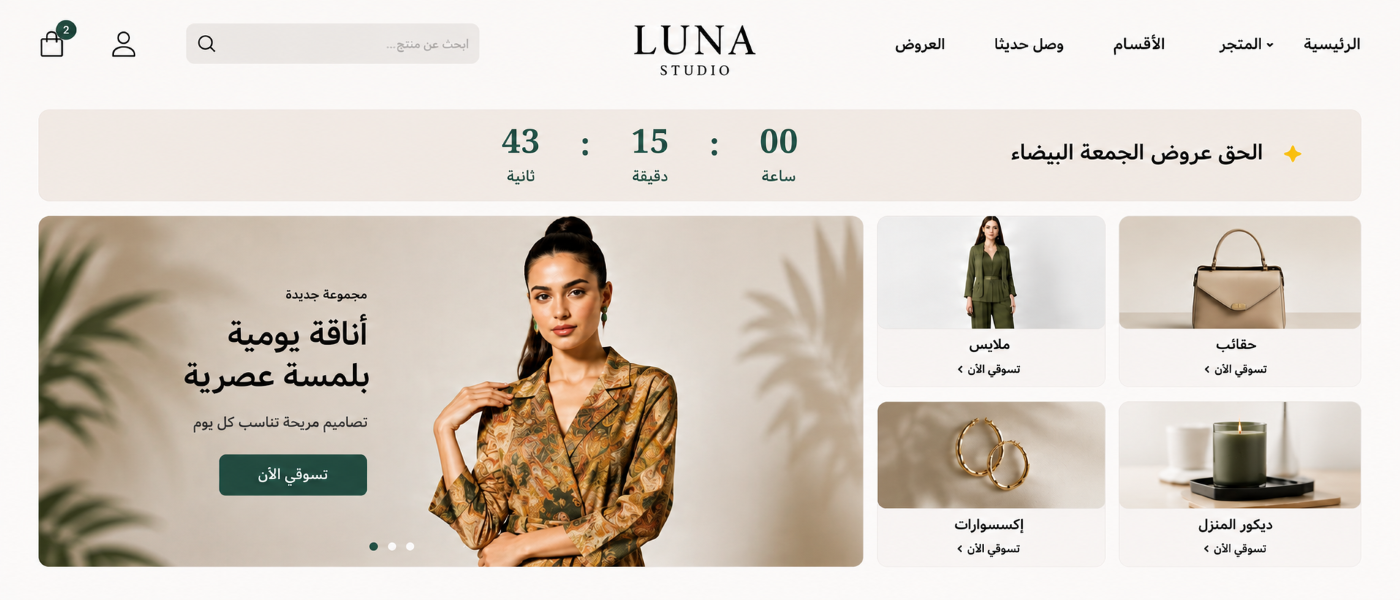
Homepage Timer
Highlights your current promotion to every visitor landing on your homepage.
Timer types
Pick the type that fits your offer
Fixed MinutesA set number of minutes
You set the minutes or hours, and it restarts fresh with every visitor — ideal for instant urgency without needing an announced date.
Fixed DateScheduled to a set date
Best for scheduled sales and events, like a Black Friday promotion or a product launch on an announced date.
RecurringRepeats on a daily schedule
Repeats daily at a set time, ideal for reminders like today's same-day-shipping cutoff.
Features
Built specifically for Salla stores
Full Arabic & RTL support
Built specifically for Arabic-language stores, with no text or number alignment issues.
Integrated with Salla's most popular themes: Raed, Angel & Selia
Built to work seamlessly with Raed, Angel, and Selia — three of Salla's most popular themes, no manual code edits needed.
Full customization
Change colors, fonts, and copy to match your store's identity completely.
Fully responsive
Looks perfect on mobile, tablet, and desktop screens alike.
Need another theme? Email hello@optimizers.agency and we'll add it.
Use cases
A fit for every kind of promotion
Flash Sales
Short-lived offers that need instant urgency to push visitors to buy now.
Holiday & Seasonal Promotions
Eid, Ramadan, Black Friday, National Day, and any seasonal moment on your calendar.
Product Launches
Build anticipation before a new product arrives in your store.
Stock Clearance
Move stagnant inventory with a clearly time-boxed offer.
Weekend Deals
Time-box a deal to two or three days to boost sales on a weekly rhythm.
Pricing
One plan, simple and transparent
Everything's included — no tiers, no hidden limits.
Countdown Timer app
36 SAR / month
Cancel anytime from your Salla dashboard.
- Unlimited views
- All timer types (fixed minutes, fixed date, recurring)
- All placements (product, cart, top bar, homepage)
- 3 integrated themes + full customization
7-day free trial
FAQ
Everything you need to know
A countdown timer creates immediate urgency for your store's visitors, encouraging them to decide now instead of putting off the purchase. It's especially effective on time-limited offers and sales, where it reminds visitors the opportunity won't last.
From the app dashboard, create a new timer, set its targeting to a specific product page, then select the product. It appears automatically on that product's page only — no code required.
Shorter windows (a few hours to a few days) suit fast promotions; longer windows (one to two weeks) suit seasonal campaigns. What matters most is honoring the deadline you show — a countdown that doesn't actually end loses its credibility.
No. It's built to be lightweight and loads fast with your page's main content, so it doesn't affect your store's load speed.
Pause or delete any timer anytime from the app dashboard with one click — it disappears instantly, no code editing needed.
You decide. Set what happens when a timer reaches zero: have it restart automatically, unpublish it completely, or stay visible with a custom title in place of the countdown.
No. It's a lightweight client-side UI element that adds no crawlable content to your pages, so it doesn't affect indexing or search rankings — and like the rest of the app, it has no meaningful impact on page speed.
Yes. You can run multiple timer types at the same time — a top bar timer, a product page timer, and a cart timer — in any combination, each with its own independent settings.